Congo Basin Group
Lightning to HDMI Digital AV Adapter for iPhone 14/13 & iPad – 1080P TV, Card Reader, USB, Ethernet, Projector, Monitor
Lightning to HDMI Digital AV Adapter for iPhone 14/13 & iPad – 1080P TV, Card Reader, USB, Ethernet, Projector, Monitor
Couldn't load pickup availability
Effortlessly expand your viewing experience with the Lightning to HDMI Digital AV Adapter, a must-have accessory for iPhone 14/13 and iPad users. Perfect for home entertainment, work presentations, or educational setups, this versatile adapter mirrors your device's screen to a larger display like a TV, projector, or monitor in crisp 1080P resolution.
Key Features:
- 1080P HD Mirroring: Seamlessly project your iPhone or iPad screen onto any HDMI-compatible device, delivering sharp, clear visuals perfect for watching movies, playing games, or conducting meetings.
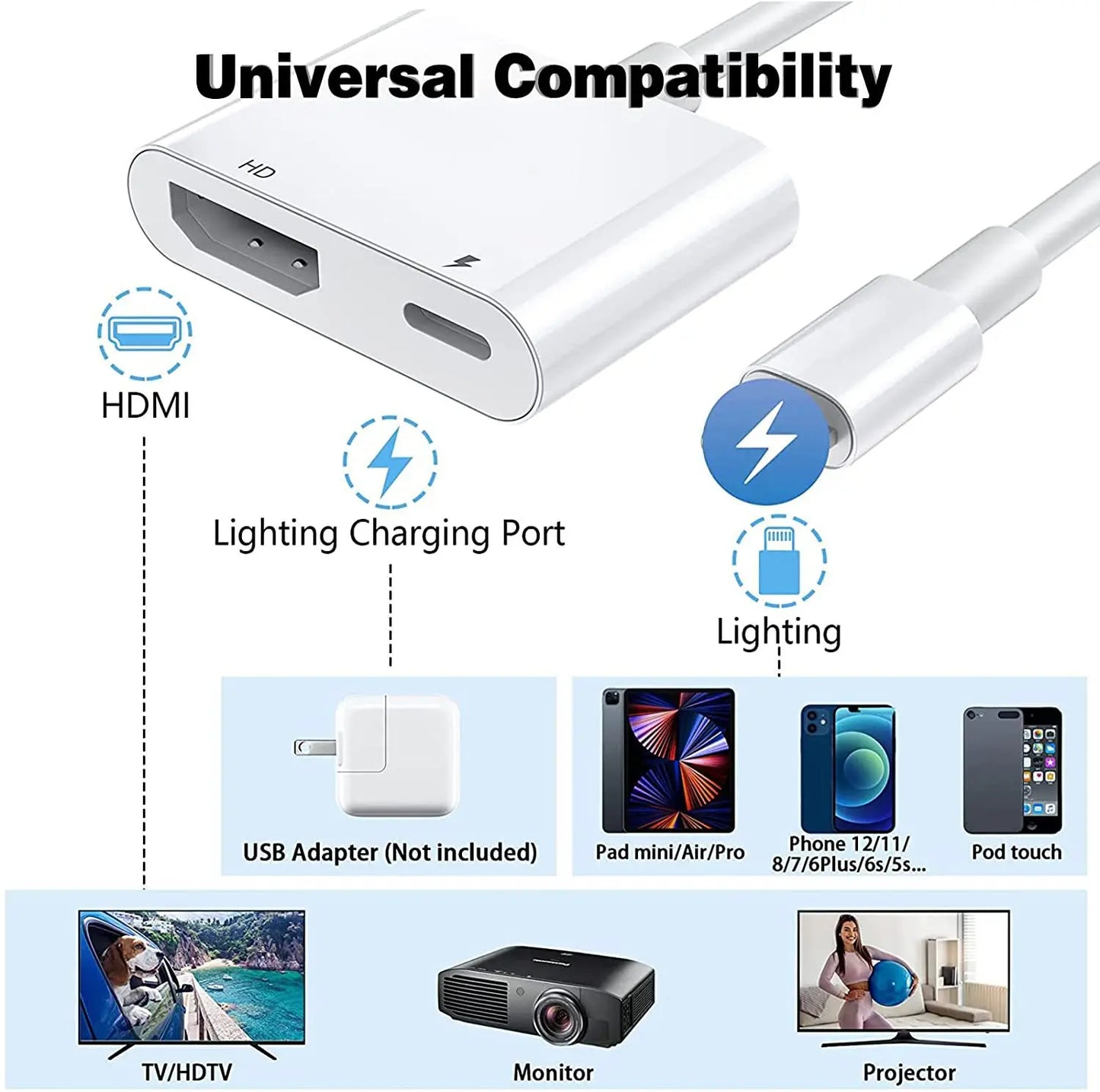
- Versatile Connectivity: With support for HDMI, USB, and Ethernet connections, this adapter ensures smooth, high-speed data transfer and stable network connectivity. It’s the ultimate all-in-one solution for both entertainment and productivity.
- Easy Plug-and-Play Setup: Connect in seconds! Simply plug in your HDMI cable to the adapter and connect your iPhone or iPad via the Lightning port. Remember to power the adapter and tap "Trust" on your device to complete the connection.
- Wide Compatibility: Compatible with a range of devices including iPhone 14/13 models, iPads, and more, this adapter is ideal for any scenario—whether it’s movie night at home, a business presentation at the office, or a classroom setup.
- Travel-Friendly Design: Compact and lightweight, this adapter is perfect for on-the-go use. Whether you're traveling for work or leisure, you can enjoy hassle-free connectivity wherever you are.
Product Specifications:
- Connector A: HDMI
- Connector B: Lightning
- Certification: CE
- Package Includes: HDMI Adapter (Note: HDMI cable and power supply are not included)
- Choice: Yes, this adapter is the perfect choice for enhancing your device’s connectivity.
How to Use:
- Plug the HDMI cable into the adapter and your TV, monitor, or projector.
- Connect the Lightning port to your iPhone or iPad.
- Power the adapter and wait for 5 seconds. Then tap "Trust" on your phone to begin screen mirroring.
Important Notes:
- Ensure your device is fully charged before use.
- Fully insert all jacks to avoid connection issues.
- Some apps with "HDCP" video copyright protection may not be supported.
- If compatibility issues arise after an iOS update, please follow the app prompts to upgrade the adapter’s software.
Why Choose This Adapter?
Whether you’re streaming your favorite shows, giving a business presentation, or sharing family photos on the big screen, the Lightning to HDMI Digital AV Adapter ensures reliable, high-quality performance every time. With its easy setup and wide range of compatibility, it’s the ideal accessory for enhancing your iPhone or iPad experience.
Upgrade your viewing experience today!
Share